Showing posts with label Images. Show all posts

Thursday, April 30, 2009

Some Comparison Photos with a Thinkpad, MSI Wind and Kogan Agora

The MSI wind on the left, has rounded corners and a sightly slopped keyboard top to bottom, which may be a factor for you speed demon typists out there over a length of time
The three from the side, from front, Lenevo Thinkpad 61, MSI Wind 100, Kogan Agora netbook, keyboards of the 2 netbooks look the same but I cant help feeling the MSI feels roomier somehow.Both are fine to the touch and as mentioned above the MSI has a slight slope to the keyboard which is more obvious in this photo.

Just another size comparison, not much info I know but unfortunately I have been really busy and not had the time to sit down with them all properly, I would say though I have given the original Kogan OS a go, and Unbutu and would be happy to just get windows XP onto the Kogan Agora and have no complaints really

Monday, September 22, 2008

Linking up to a Laptop?

If you are considering linking up your laptop, or desktop to your TV don't make the same mistake I made. I hooked up via the VGA connection with a cable and switched over to the VGA via the AV/TV button on the remote to get "No Signal" I of course thought "Damn, a fault with the telly" and went into panic mode.


After a lot of wasted time rechecking every cable and connection I "Googled" the problem and soon discovered the problem is quite common. I did not have Extend Desktop/Clone Desktop enabled on the laptop. (depending on your system it will be in Display settings in the Advanced section for XP and Personalise in Vista, both assessable by right clicking on your desktop)
So if this happens to you check your settings first guys...

Saturday, September 20, 2008

AFL Final on channel 7HD

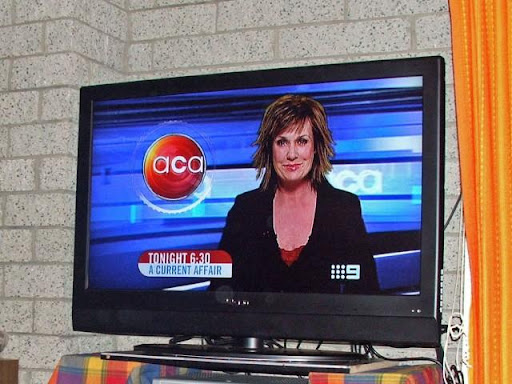
Watching the AFL preliminary final last night on channel 7's HD channel was fantastic. The imagery was so clear and vivid, the skin tones excellent.I am amazed at the detail that is now so apparent and realise what I had been missing out on with a normal analogue telly.

We had some artefact blocks in the 1st quarter and the sound played up but I put that down to our aerial as it was only on channel seven. I had to watch the game with foxtel turned off as for some reason ( note to self, find out why) channel 7 does not work on foxtel...Contractual maybe? Yeah, so the other channels etc all worked fine so pretty happy still...

Thursday, September 18, 2008

TV up and running


Well our Kogan 42 inch LCD Hi Definition telly is up and running and I must say I am pleasantly surprised.As much as I wanted to ignore the folks who want to bag something they have never had it does stay in the back of your mind.Firstly I will explain our particular setup and how we went about it, seeing everyone will have all sorts of systems and add-ons.

Out of the box all that is required to use the TV is to connect the power lead (Quite short 1.5 metre at a guess) and the aerial cable direct. We have Foxtel but not the new HD IQ so there is no HDMI connection leading out of the Foxtel box.If you happen to have the newer HD IQ it is as simple as connecting one end to it and the other to the TV.

Otherwise you connect the video audio cable (the 3 leads are Yellow to video socket, Red and White are for left and right sound sockets) from the foxtel box to the television. There are so many available options at the rear of the TV it is mind boggling, so it is best left alone by me other than to say every combination possible is seems available.

Once you have remembered to place the batteries in the remote and fired up the TV, a signal search takes place.

  1. If you are going direct to an aerial use the controller and select AV/TV and then the down arrow to select TV option. Use the right arrow to select your viewing area (State, region etc) and then you have the option of running an automatic scan or to do it manually.We chose manually and it worked perfectly, finding all the Australian digital and analogue channels, which total over 30 here in Geelong, Victoria... Job Done
  2. If you have Foxtel your aerial obviously runs into the Foxtel box, and either your 3 audio visual leads run to the TV or the simpler HDMI cable does the job on its own. Turn Foxtel on and as above the TV will search for a signal, if you are still set to TV you will need to change to AV with the remote. All the channels should be tuned from the the Foxtel box already.
One thing I noted during the setup was that with a foxtel box connected the TV Tuning options on the TV are NOT available. The option appears when you are running the aerial direct to the TV, therefore kicking in the in built HD tuner

In summary the process was pretty painless and the picture was excellent without touching any controls, one option we did select was the Flesh Tone ON, which can be found in Video-Advanced Video settings.

More Pictures